Documentation index: llms.txt. This page is also available as markdown: append .md to this URL or send Accept: text/markdown.
Catalog Public API
The Catalog Public API lets you programmatically read and update metadata (tables, columns, dashboards, lineage, quality tests, and more) so you can:
- Automate metadata workflows (sync from external tools, enforce governance rules, keep systems in sync).
- Build custom integrations with internal apps, data products, or orchestration tools.
- Power advanced use cases such as AI assistants, reverse-ETL lineage, or custom reporting.
All endpoints and schemas are documented in the Catalog GraphQL API reference:
- Full reference: Catalog GraphQL API
Each operation page includes a Try it panel to send live requests from the docs.
Authentication and Tokens
The Public API uses a Catalog API token for authentication. Pass it as a bearer token in the Authorization header.
Catalog administrators create tokens in Settings > API with Read Only or Read & Write scope. See Getting Your Catalog API Keys for step-by-step generation, expiration, rotation, and revocation.
Use your token in:
- Your own scripts and services calling the Public API
- Metadata Importer flows (BI Importer, Warehouse Importer, Manual Lineage Importer)
- The in-app Catalog API playground (see below)
Store tokens in a secrets manager and never commit them to Git.
API Base URLs
Use the base URL that matches your region:
- EU:
https://api.castordoc.com - US:
https://api.us.castordoc.com
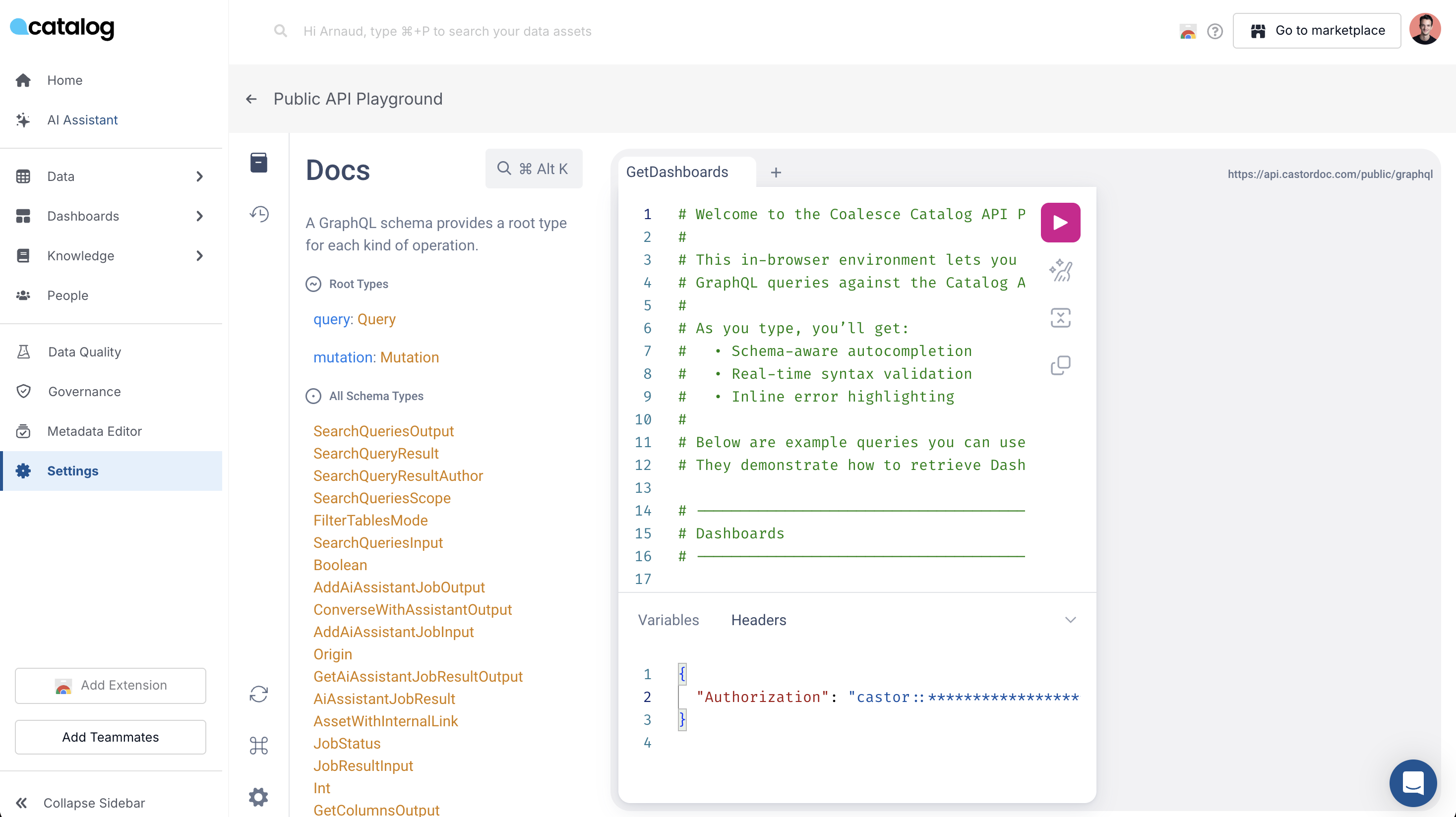
In-App Catalog API Playground
To reduce friction and make it easier to get started, the app includes an in-app Catalog API playground.
With the playground, you can:
- Send real Catalog API requests directly from the product in a safe, guided way.
- Paste your Catalog API token and immediately run live requests against your environment.
- Start from a pre-configured example query that works out of the box. Click Run to see results.
- Use the autocomplete query editor to discover available endpoints and parameters faster (for example, typing
folderssuggests valid folder paths).
This greatly reduces time-to-first-successful-request and helps teams:
- Validate that their token and permissions work.
- Explore the shape of the API before writing any code.
- Quickly prototype new initiatives leveraging the Catalog API.