Documentation index: llms.txt. This page is also available as markdown: append .md to this URL or send Accept: text/markdown.
Helper Tokens
Use helper tokens when creating Macros or writing transformations.
Given a staging node using the fully qualified database "GENERAL_DATA", schema "WORK", and table CUSTOMERS.
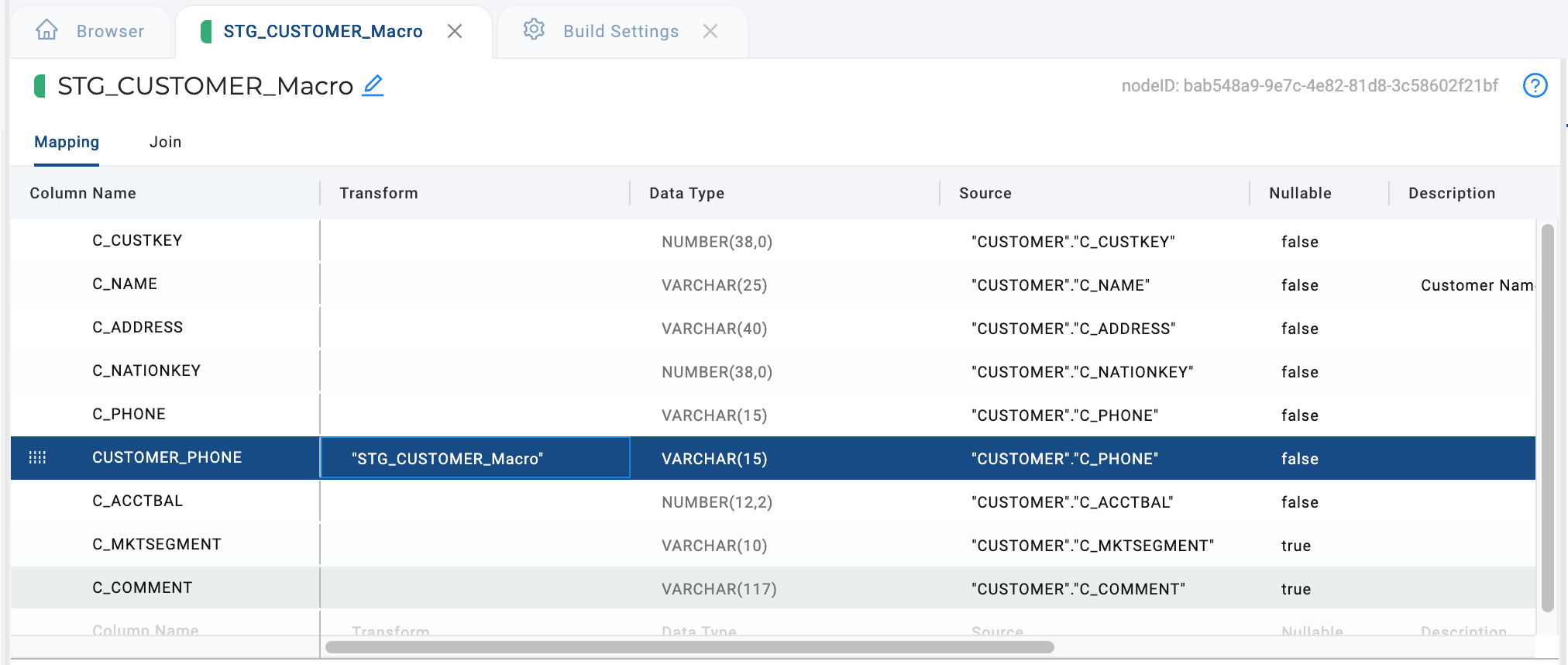
SRC
Resolves to the current source.
Syntax
{{SRC}}
Example
- Snowflake
- Databricks
- BigQuery
"CUSTOMER"."C_PHONE"
`CUSTOMER`.`C_PHONE`
`CUSTOMER`.`C_PHONE`
SRC_COL
Resolves to source column name of the column. This can be helpful if you column names have been changed. For example the column name is Customer_Number, but the source is C_PHONE.
Syntax
{{SRC_COL}}
Example
- Snowflake
- Databricks
- BigQuery
"C_PHONE"
`C_PHONE`
`C_PHONE`
SRC_NODE
Resolves to source node name of the column.
Syntax
{{SRC_NODE}}
Example
- Snowflake
- Databricks
- BigQuery
"CUSTOMER"
`CUSTOMER`
`CUSTOMER`
TGT
Resolves to current fully qualified node and column.
Syntax
{{TGT}}
Example
- Snowflake
- Databricks
- BigQuery
"STG_CUSTOMER_Macro"."C_PHONE"
`STG_CUSTOMER_Macro`.`C_PHONE`
`STG_CUSTOMER_Macro`.`C_PHONE`
TGT_COL
Resolves to current column. If the column name is different from the source it will resolve to the current name. For example, the source name is C_PHONE, but the current name is CUSTOMER_PHONE. It will resolve to CUSTOMER_PHONE.
Syntax
{{TGT_COL}}
Example
- Snowflake
- Databricks
- BigQuery
"CUSTOMER_PHONE"
`CUSTOMER_PHONE`
`CUSTOMER_PHONE`
TGT_NODE
Resolves to current node.
Syntax
{{TGT_NODE}}
Example
- Snowflake
- Databricks
- BigQuery
"STG_CUSTOMER_Macro"
`STG_CUSTOMER_Macro`
`STG_CUSTOMER_Macro`
See Quoted Identifiers in Coalesce for how Coalesce chooses quoting per Project platform.